The AI Code Editor.
Take the Lead with AI-assisted Code Generation
A privacy-friendly and GDPR-compliant AI coding assistant, built as an AI extension for VSCode.

A privacy-friendly and GDPR-compliant AI coding assistant, built as an AI extension for VSCode.
AI-powered assistance without leaving your code editor. Leverage an AI-powered IDE.
Let AI Copilot generate draft code for your ideas, create tests, explain architecture, and more.
No need to switch to another AI code editor. Simply install our AI plugin in VSCode to get started.
Generative AI is transforming software development, and we must adapt before it's too late.

AI code helper built from the ground up with privacy and security in mind.
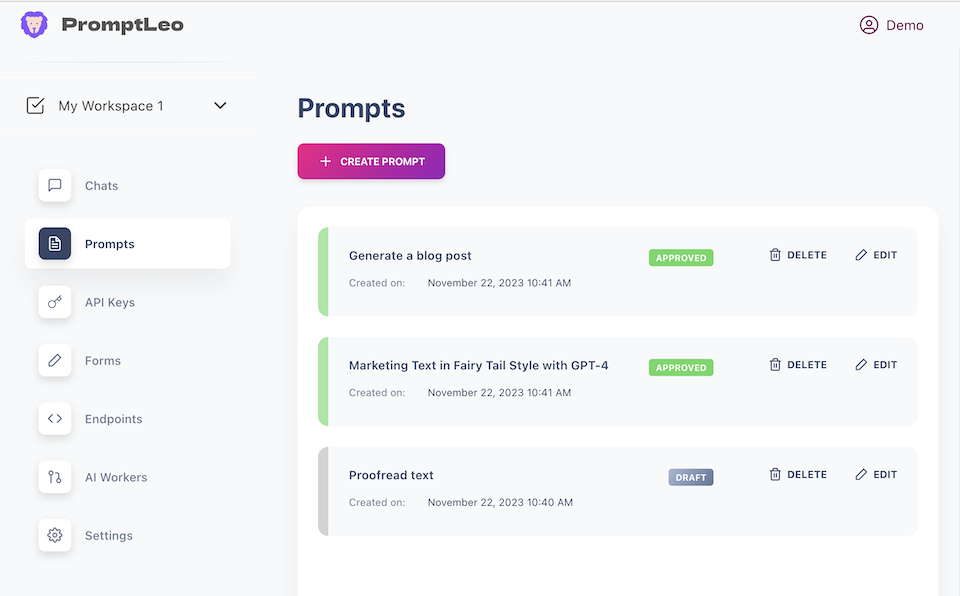
Enable your team members to collaborate on prompts, make changes as needed, and provide feedback when necessary. By sharing prompts within your organization, you can ensure that everyone stays on the same page.
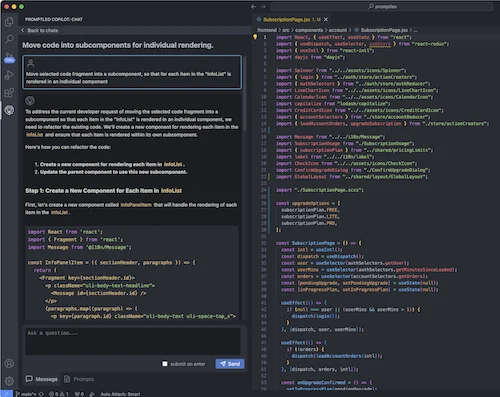
Our VSCode AI extension analyzes the code of your project directly on your computer and creates a semantic index that can be used later to chat with your code and entire project.
Get started by installing our AI extension in VSCode and creating an account.
The AI code helper analyzes your code in the background, enabling to chat with it.
It's like having an AI buddy to assist with everyday tasks.
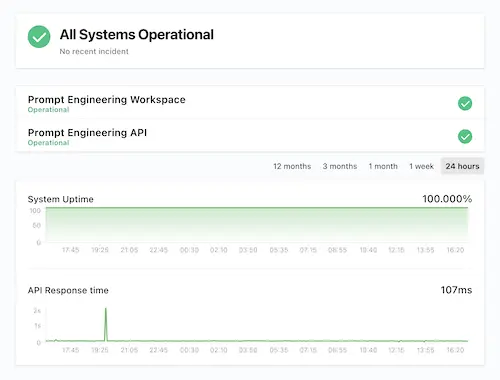
Run your AI team like a manager: see what every employee is doing, approve sensitive actions, and keep spend under control.
Feel free to reach our support team.